HP LaserJet Pro P1100, P1560, P1600 Series Full Feature Software and Driver
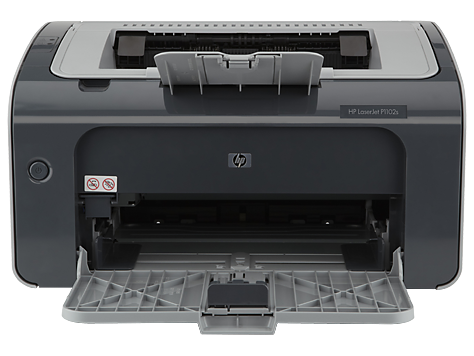
Version : v1601
Operating Systems :
- Windows 10 (64-bit) | Hide all
- Microsoft Windows 10 (32-bit)
- Microsoft Windows 10 (64-bit)
- Microsoft Windows 7 (32-bit)
- Microsoft Windows 7 (64-bit)
- Microsoft Windows 8 (32-bit)
- Microsoft Windows 8 (64-bit)
- Microsoft Windows 8.1 (32-bit)
- Microsoft Windows 8.1 (64-bit)
- Microsoft Windows Server 2003
- Microsoft Windows Server 2003 64-Bit Edition
- Microsoft Windows Server 2008 W32
- Microsoft Windows Server 2008 x64
- Microsoft Windows Vista (32-bit)
- Microsoft Windows Vista (64-bit)
- Microsoft Windows XP (32-bit)
- Microsoft Windows XP x64
Release date : Jan 5, 2016
File name : hp_LJP1100_P1560_P1600_Full_Solution-v20120831-50157036_SMO.exe (143.3 MB)
Download Now
Description :
This full software solution is the same solution as the in-box CD that came with your printer.
NOTE: Due to the size of this download, HP recommends dial-up customers order this software on CD. Online ordering is not applicable in all countries.
Fixes :
Documents update for HP SMO
Installation instructions :
This section will help you in the download of the software to your computer and start you on the install process. Below are easy-to-follow instructions for downloading and installing printer drivers. (Note: Do not connect the USB cable until prompted.
Approximately 590 MB of free hard disk space is required to use this download.
- Close any software programs running on your computer.
- Click on "Download Only" button and save the file to your hard disk.
- Double click on the downloaded file. This will extract all the driver files into a directory on your hard drive. The default directory these files are extracted to have a similar name to the printer model.
- Follow the on-screen instructions to proceed installation.
System requirements :
Approximately 590 MB of free hard disk space is require to use this download
Minimum Installation Requirements:
1GB of RAM for Windows 7 or 512MB of RAM for rest of OS
350MB of available hard disk space


Tidak ada komentar:
Posting Komentar